01
Small kernel. Big possibilities.
A microkernel separates the kernel from system servers. Each part has a focused responsibility.
 Download
 MEECHO OS / AARCH64
An operating system for people who want to understand how things work. From the first message to real hardware.
Pre-releaseNew: a ready-to-flash SD card image for the BIGTREETECH CB2 — pre-release, 12 Oct 2026.Version 0.1.0 / BSD-3-Clause / aarch64

00 / THE SYSTEM, VISIBLE
Meecho now has a Wayland desktop, a live X-ray of process messages and Mali-G52 acceleration on CB2. These features work from the source tree and will arrive in the next image.
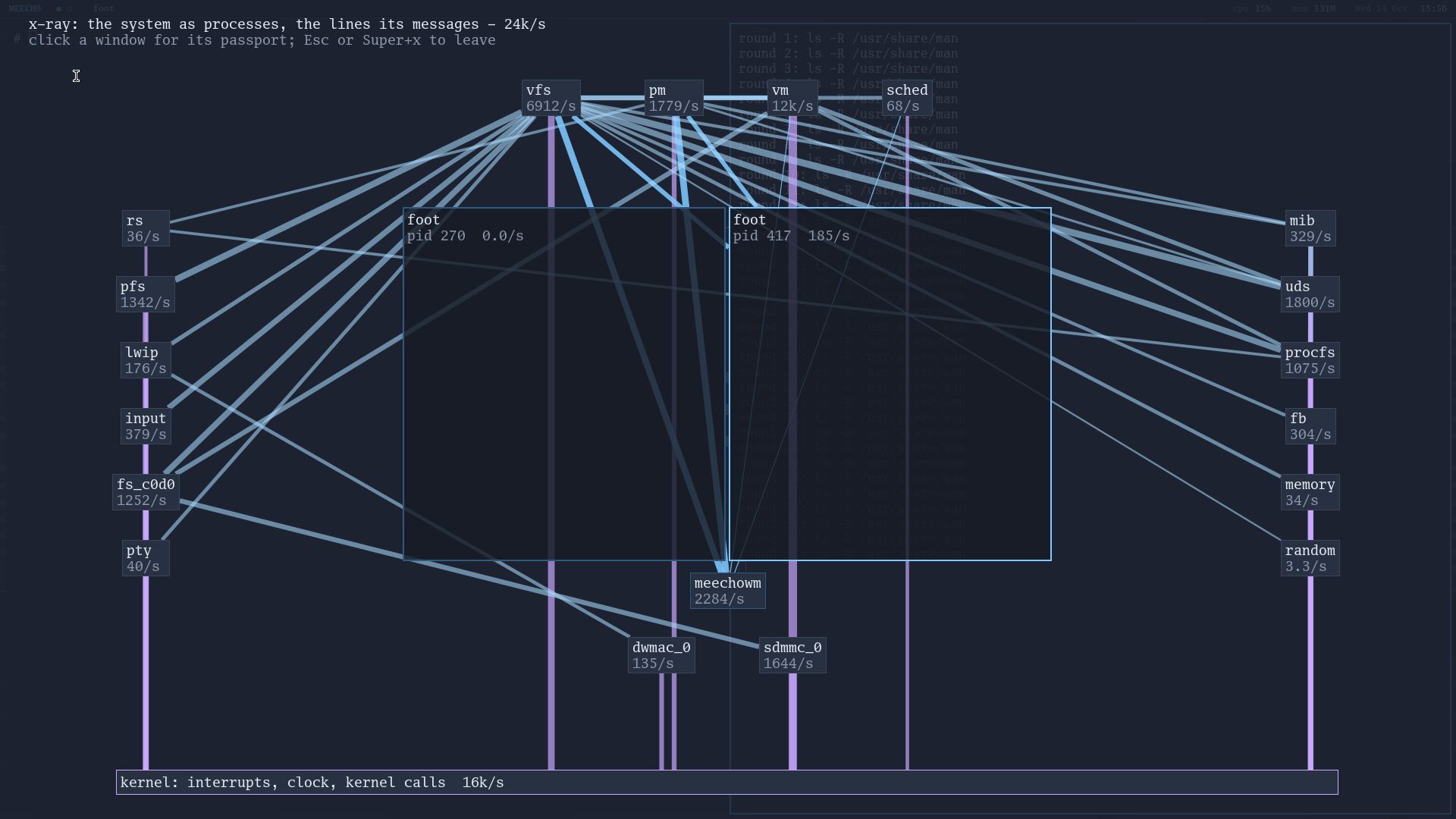
X-ray. Every box is a process: the file system, the memory manager, each driver. Every line is the messages between them, counted live by the kernel.
Open original PNG ↗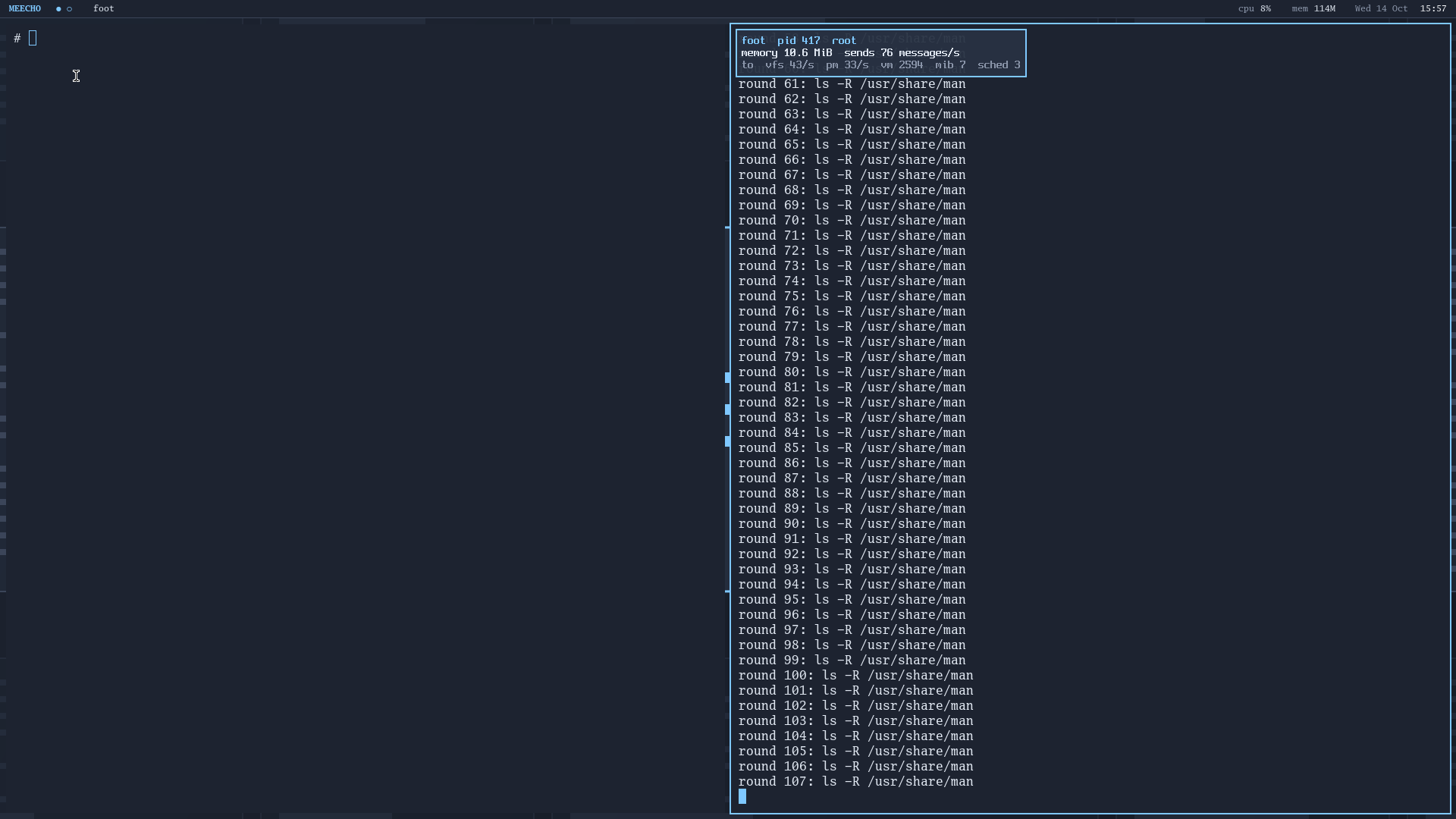
Window passport. Click any window to see who it is to the system: its pid, its memory, and whom it talks to.
Open original PNG ↗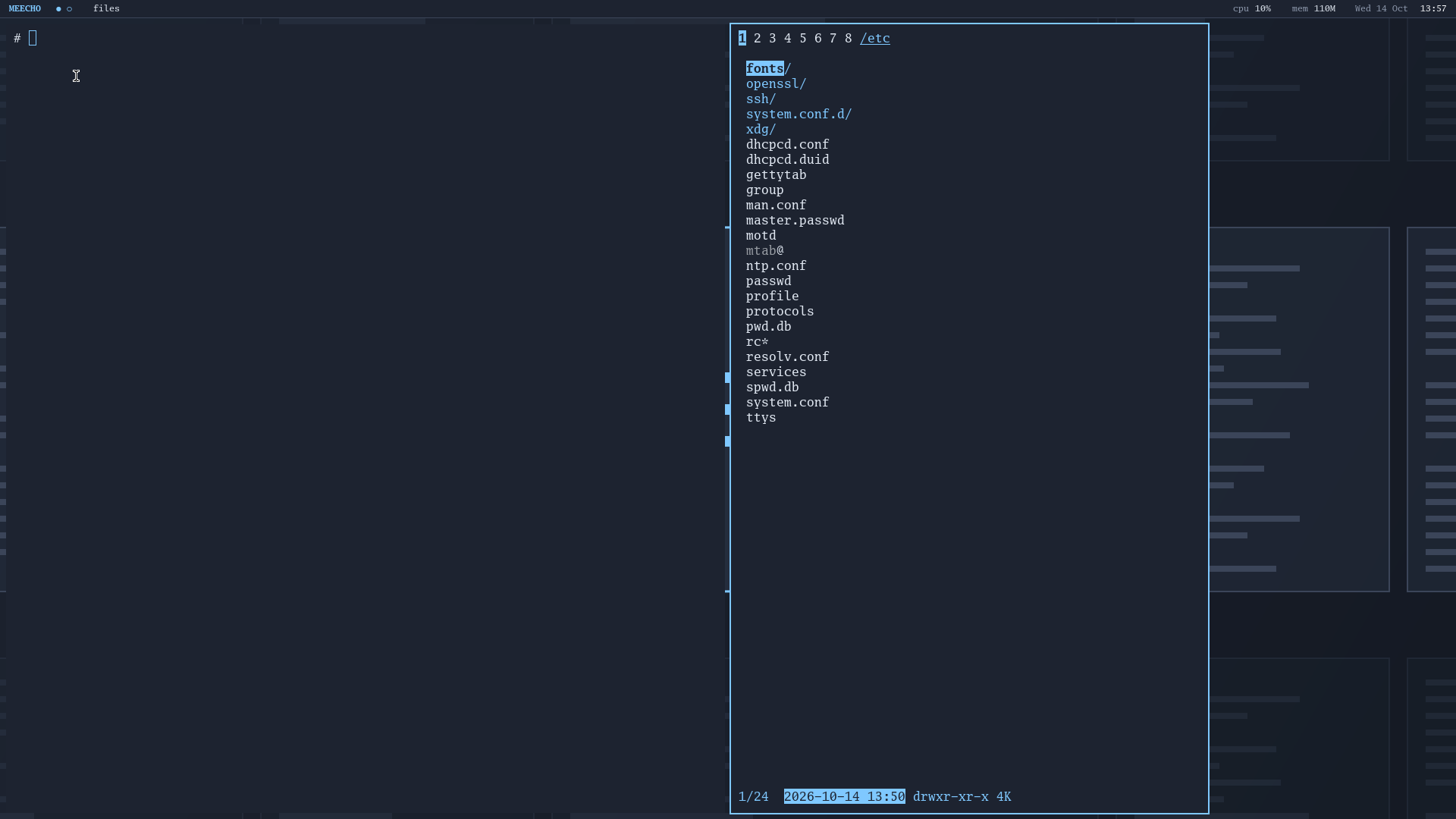
The desktop on a CB2 over HDMI: windows as columns on a scrolling strip, a panel with CPU and memory, the nnn file manager.
Open original PNG ↗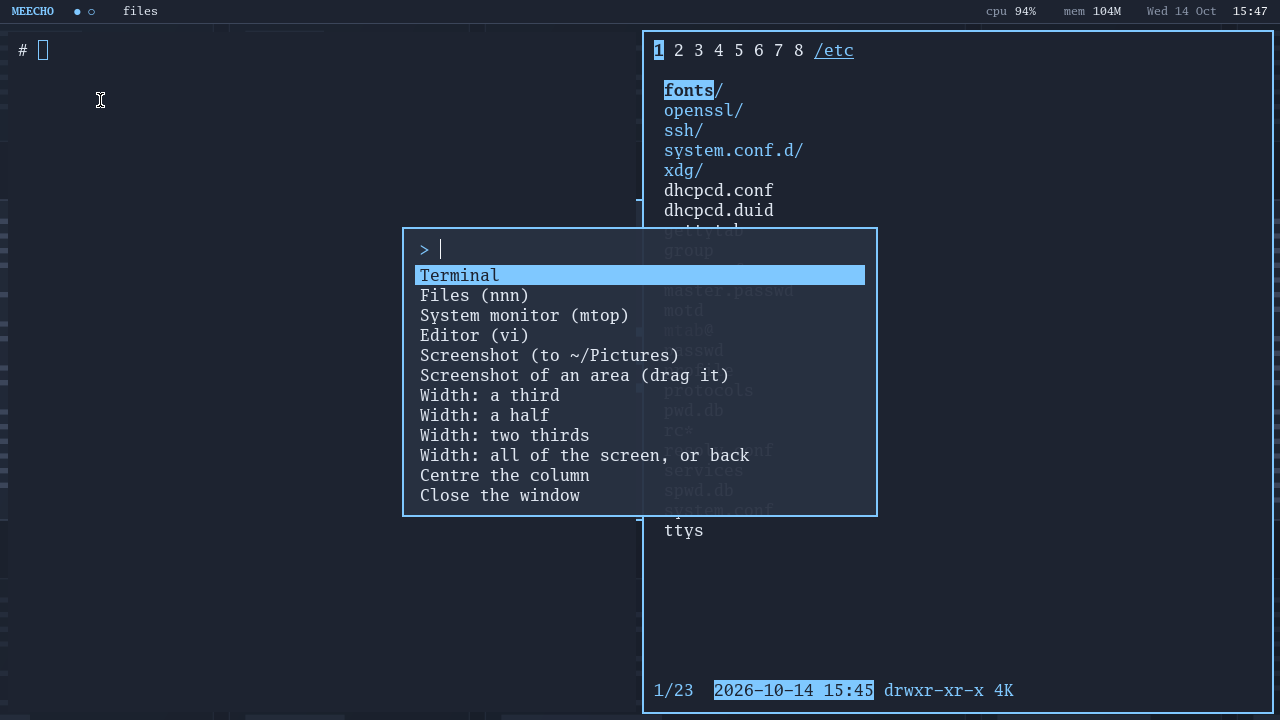
Super+D opens the command palette: programs, screenshots, window widths.
Open original PNG ↗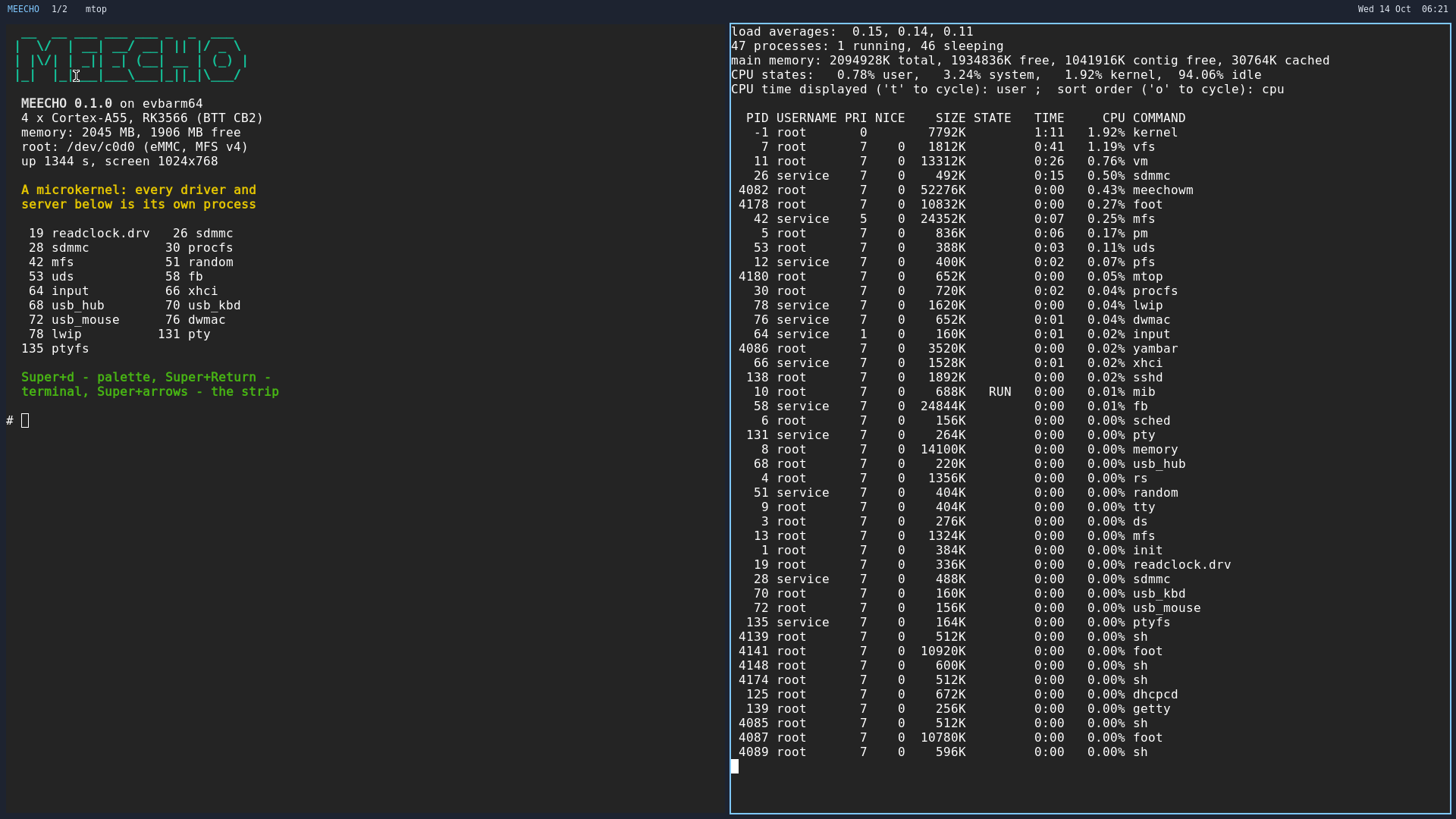
The microkernel in a process list: the disk driver, USB, the keyboard and the network card are ordinary processes. Shown in the earlier desktop palette.
Open original PNG ↗01 / ARCHITECTURE
Less hidden complexity.
More room to experiment.
A microkernel separates the kernel from system servers. Each part has a focused responsibility.
Message passing connects independent processes into one system. That idea is built into the Meecho mark.
Derived from MINIX 3 and licensed under BSD-3-Clause. A foundation for exploring how an operating system works.
02 / PLATFORMS
Start with QEMU in a minute, or with a BIGTREETECH CB2 on your desk.
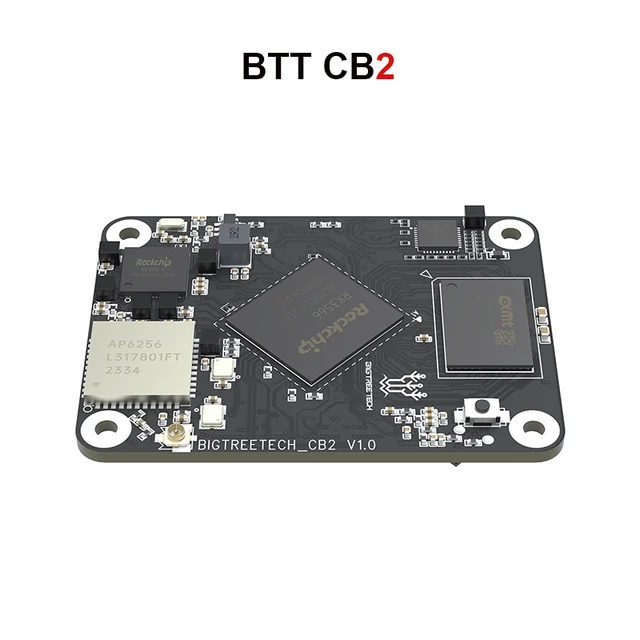
The first Meecho OS board
Boots from its own SD card image, or from Armbian's card with the MEECHO kit.
Download for CB2 ↗Explore Meecho OS without physical hardware
Toward a second board: the SD/MMC driver also supports the Allwinner A64 … H616/H313 controller, tested so far only against QEMU's model of it. Drivers find their hardware in the device tree, so a new board is a list of new files, not a fork.
03 / DOWNLOADS
Choose the ready-to-flash CB2 image, the QEMU package, or the 0.1.0 kit for an existing Armbian card.
 CB2 — SD card image
12 Oct 2026 · 38 MB download, 1.36 GB unpacked
Everything on one card: bootloader, kernel and root file system. Write it to any SD card of 2 GB or more, put it in the CB2 and power on — no Armbian, no eMMC needed.
Confirmed on a physical CB2 on 13 October 2026. This published image boots to a text console; the desktop and GPU will arrive in the next image.
SHA-256
cf973d027c519768c8f23dec53217568d534a70ee5d6ed212e2b204a9a77d60fWrite the card. With balenaEtcher or Rufus, pick the .img.xz file directly — no need to unpack. On Linux or macOS:
sha256sum -c meecho-cb2-sd-2026.10.12.img.sha256 --ignore-missing
xz -dc meecho-cb2-sd-2026.10.12.img.xz | sudo dd of=/dev/sdX bs=4M conv=fsync
Replace /dev/sdX with your card reader. Everything on the card is erased.
The image includes U-Boot (GPL-2.0, built by Armbian) and Rockchip's DDR and TF-A binaries (Rockchip rkbin license), copied unmodified from BIGTREETECH's CB2 image.
Version 0.1.0 · 63 MB
Kernel, boot archive, a persistent 512 MB root filesystem and a launch script. Needs qemu-system-aarch64 and nothing else.
SHA-256
37caffac6cb3a42573c7732938b4212ba3d44a1870f17bf59f9ca8a81729fe4f
MEECHO OS for CB2Version 0.1.0 · 4.4 MB + 59 MB
The SD card kit boots Meecho once; the next power cycle returns to the vendor system. The eMMC root image is separate.
Download CB2 kit ↓Download eMMC root image ↗KIT SHA-256
aaa03cf87b3c2bca2a3dc9279900f4b32c8a723fc725fa685ffa6a6e628a6604
ROOT SHA-256
e7172b3f77425ee49f5538bcef1cacafee8af68a91260c05a787e4867d5fdf0cVerify the 0.1.0 files with SHA256SUMS ↗.
04 / FIRST BOOT
Run it virtually in QEMU or boot the CB2 from its own SD card.
Download, unpack and run. Log in as root with no password.
01 / INSTALL QEMU
# Debian / Ubuntu
sudo apt install qemu-system-arm

# macOS
brew install qemu
02 / BOOT MEECHO
tar xf meecho-qemu-0.1.0.tar.gz
cd meecho-qemu-0.1.0
./run.sh
|\/| __ __ ___ ___ ___ _ _ ___
==<-->== | \/ | __| __/ __| || |/ _ \
| |\/| | _|| _| (__| __ | (_) |
|_| |_|___|___\___|_||_|\___/
MEECHO 0.1.0 (aarch64) -- microkernel. messages.
login:uname -a
ls /bin /sbin /usr/bin /usr/sbin | wc -l
cat /proc/cpuinfo /proc/uptime
ps ; mtop
ifconfig -a ; ping -c 3 10.0.2.2./run.sh -2 # enter at EL2
./run.sh -3 # use GICv3
./run.sh -2 -3 -s 4 # both, four cores
./run.sh -r # ramdisk root
SSH=2222 ./run.sh # forward SSHType poweroff to shut down cleanly. If something goes wrong, press Ctrl-A X. Files written to the default disk survive the next boot.
uart2, 1500000 baud, 8N1 — or an HDMI monitor and a USB keyboard.login: appears.root, no password./etc/ssh/authorized_keys from the console, then ssh root@<board address> (the address comes from DHCP).Boot switches: create an empty file in meecho/ on the card's FAT partition
| File | Effect |
|---|---|
root_ramdisk | Root in memory: a rescue boot that does not touch the card's root |
root_emmc | Root on the board's eMMC instead of the card |
no_hdmi | No screen: boot with the vendor's base device tree |
no_smp | One CPU instead of four |
verbose | The kernel reports each step of its start-up |
The root partition is 1 GB whatever the card's size; there is no resize tool yet.
05 / DOCUMENTATION
An introduction to the project and the ideas behind it.
Meecho is a microkernel operating system for aarch64, derived from MINIX 3. Message passing is central to its architecture. BIGTREETECH CB2 is the first supported board, and a QEMU image is published alongside it.
The firmware hands over one flat image and a boot archive holding twelve boot images. The kernel unpacks it, starts the system servers, and mounts the root filesystem — a ramdisk during the earliest boot, then virtio-blk under QEMU, or SD card or on-board eMMC on CB2, in Meecho's own journalled format.
For QEMU you need qemu-system-aarch64 and the QEMU image. For hardware you need a CB2, an SD card of 2 GB or more, and either a USB-serial console or an HDMI monitor with a USB keyboard. The ready-to-flash image and the 0.1.0 Armbian card kit are available above with checksums.
Not if you use a second card: the image lives entirely on the SD card and does not write to the eMMC. Take the card out and the board boots whatever it booted before.
Clone the aarch64 branch and follow BUILDING.md. A complete build takes about two hours on a fast machine.
The project uses BSD-3-Clause and preserves the MINIX 3 copyright attribution. Download the copyright notice.
06 / WHAT WORKS TODAY
The screen, USB keyboard and SD image were confirmed by a person on a physical BIGTREETECH CB2 on 13 October 2026.
| Feature | QEMU virt | CB2 board |
|---|---|---|
| Boots to a login prompt, shell responds | Works | Works |
| Four cores, work spread across them | Works · 1.78× for four jobs | Works — four jobs on four cores take the time of one (12.9 s vs 12.2 s) |
| Whole system on one SD card | Works (image booted as a disk) | Works |
| Root filesystem survives power-off | Works · virtio-blk | Works · SD card or on-board eMMC |
| SD card slot — 4-bit, 50 MHz high speed | — | Works |
| eMMC — DMA and interrupts, about 15 MB/s read | — | Works |
| USB — xHCI, hubs, flash drives (about 16 MB/s) | — | Works |
| USB keyboard | — | Works |
| HDMI text console | — | Works · up to 1080p, mode from the monitor |
| USB mouse | Works | Works |
| Graphical desktop — Wayland, terminal, panel, palette, screenshots | Works · in the source tree, next image | Works · in the source tree, next image |
| X-ray: live map of processes and their messages | Works · in the source tree, next image | Works · in the source tree, next image |
| GPU — Mali-G52, OpenGL ES 3.1 through Mesa Panfrost | — | Works · in the source tree, next image |
| HTTPS with certificate checks — OpenSSL 3.5 | Works | Works |
Binary packages — pkg_add with signatures | Works | Works |
Dynamic linker (ld.elf_so, dlopen) | Works | Not tested yet |
| Watchdogs — SoC hardware watchdog and kernel lock watchdog | Lock watchdog only | Works |
| Journal replay and fsck after corruption | Works | Works |
| 276 programs and 210 manual pages | Works | Works |
| Network: ping and TCP to a real server | Works · virtio-net | Works · GMAC + Motorcomm PHY |
| DHCP, name resolution and SSH | Works | Works |
| Real-time clock | Works · PL031 | No RTC on this board |
| Reboot and power-off through PSCI | Works | Works |
CURRENT LIMITS
REAL CB2 BOOT OUTPUT
MEECHO: loading from mmc 1:1
MEECHO: booting, archive 11505664 bytes
Starting kernel ...

MEECHO/aarch64: 4 cores, memory 0000000000200000-0000000080000000
eMMC "PJ3032": 61079552 sectors, 8-bit bus at 50000000 Hz, high speed
phy at 0: id 0x4f51e91b (Motorcomm YT8531)
link up: 100 Mbit/s, full duplex
Started VFS: 9 worker thread(s)
Root device name is c0d0
/dev/c0d0: clean

MEECHO/evbarm64 0.1.0 (console)

login:
07 / COMMUNITY
Source, documentation and a 9,400-line porting log are open.